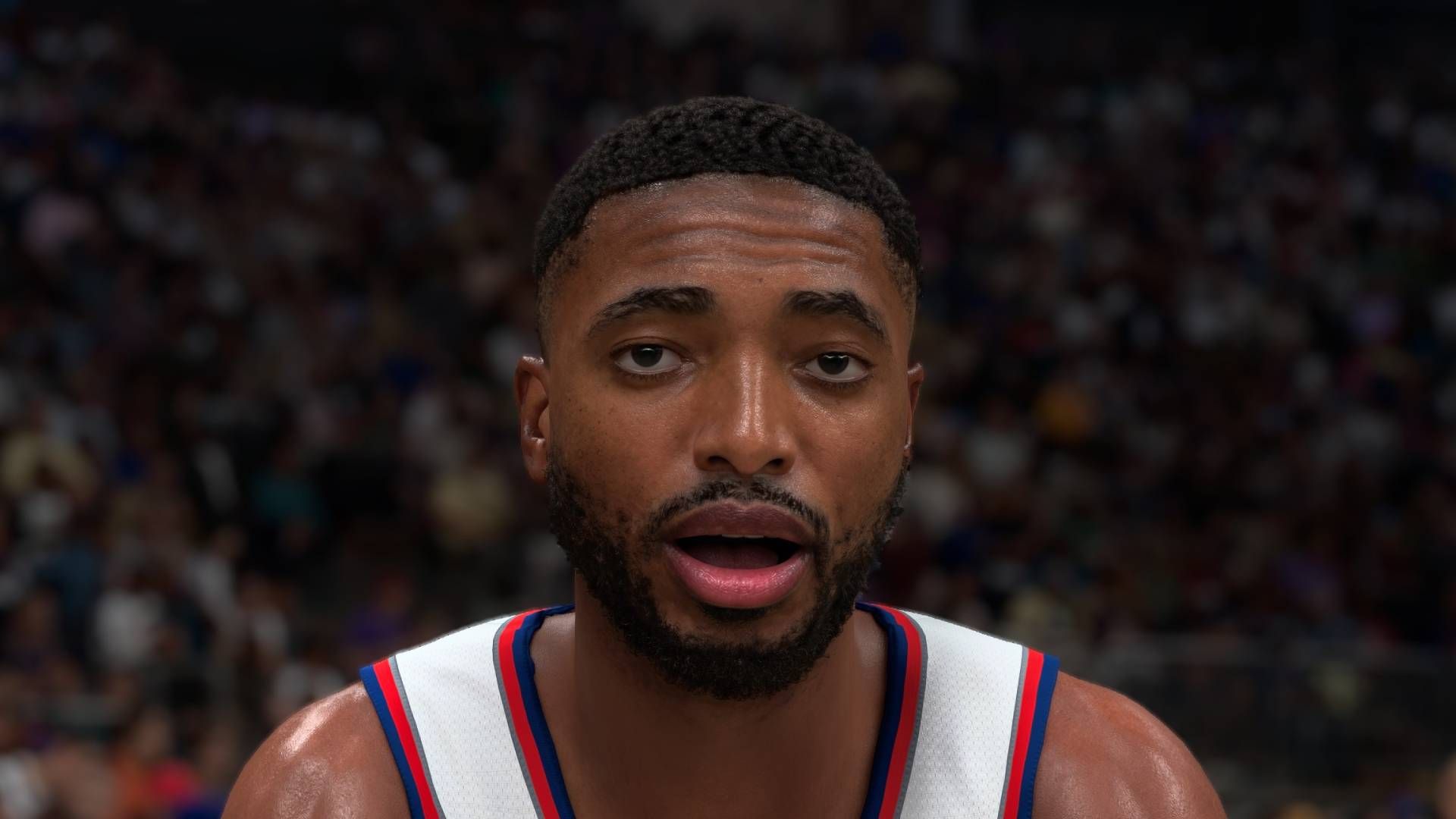
I find these percentages somewhat infuriating and useless, because it’s completely unusable out of this exact context. So let’s convert it to milliseconds. The article shows his “native” averages (1440p) as 230 FPS without, and 93 FPS with DLSS 5 (I assume he’s referring to just the AI filter here).
230 FPS is ~4.34ms/frame
93 FPS is ~10.75ms/frame
So it takes about 6.5ms to do its thing on a 5080, without frame generation or upscaling. That’s… pretty bad. 120 FPS (8.8ms/frame) would be basically impossible, and you’d need to be at 100 FPS without it to get 60 FPS after this does its thing. Assuming you even like the output, which is a big if, this is a pretty hefty performance penalty to pay for it.
You won’t own the computer that runs the games they’ll want you to play. You’ll rent it.
With the screenshots I’ve seen so far, it looks way too much like when Need For Speed thought pasting a video of an actor into an animated scene was a good idea. The central part of attention doesn’t match the rest of the scene, and it’s offputting.
“Up to”…
It might be worth it for titles that can run at 180 fps+ on your rig. Out of curiosity, i’d like to see what it does with e.g. GTA San Andreas or Witcher 2.
See this is the part I don’t understand. I will turn literally every graphic setting down until I hit 120+ fps. Playing at anything less feels choppy and distracting, regardless of visual quality.
Am I really that far in the minority here?
You are kinda in the minority, I’m guessing you play mostly FPS games where framerate is king. Normally I agree, but there’s something to be said for cranking games to max settings and enjoying 60-90fps. I play Cyberpunk maxed even though I don’t get over 100.
Weirdly: no
Right now I’m playing through kcd:2 and I’ve lowered the settings a bit to hit a smooth 120hz
I aim at a stable 60-90 Fps (which goes well with my 180Hz Monitor + Vsync) , while cranking up the visuals as far as i can, normally starting with max and then slowly inching backwards if needed. I don’t like it if my textures get muddy, or shadows look like crap - or even worse, Pop-in and LOD shenanigans.
Pop-in is pretty distracting for me too. That is generally the last thing I’ll change for framerate. Hell, I’ll take a resolution downgrade before I sacrifice framerate or pop-in
Yeah, pop-in is the worst of all experiences.
I did not pay a shitton of my meager income to play with low details lol - and i started playing pc games on 286, matching the eternal upgrade cycle until a few years ago, so i am no stranger to reducing details to achieve better frame rates. Anything below 60 fps is only acceptable in very specific circumstances, as in “i’m on the go and want to save battery on my steam deck”, although since i acquired lossless scaling (lsfg-vk) i tend to use it for framegen from 30 to 60 on the deck. Its not as high fidelity as pure 60fps, but it uses a lot less battery and the quality loss isn’t super obvious on the small display anyways… 60-90 is ok for stuff like turn based strategy on my main rig, because i don’t see any reason for raising my power bill in this case. 90+ is for anything action oriented - 90 is 1/2 Vsync on my monitor, so if i can’t reach the full 180 fps on max detail, i simply limit it there and call it a day.
I do the same thing but then I also limit my framerate on most games because I’ve been playing on a potato laptop that overheats and crashes… and I don’t really play games where amazing framerate matters, tho 1-5 fps is still painful. Looking at you, whiskerwood, where I can get a max of 20fps on a brand new game.
I now have rebuilt my gaming pc, and it can run cyberpunk at max settings with no issues, but damn if the laptop isn’t more convenient most of the time… I’ll still probably turn all the settings way way down because IDGAF. Grew up on 8bit, lived through low-poly, have low standards.
(I rebuilt it so I could get my rimworld colonies comfortably to 100 pawns, but I’m sure I’ll use it for other stuff!)