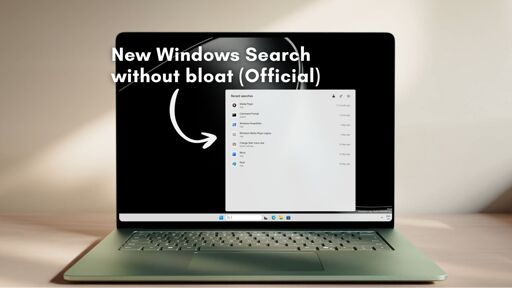
Pro corporate vote manipulation happening right here in this thread. This is not normal. Regardless of MicroSlop’s good or bad decision if you shared an anti MicroSlop comment it would be upvoted regardless in tje past now quite massive downvotes. And my guess triggered specifically by the word “MicroSlop”.
Microslop
For science!
Edit: Seems to have calmed down and usual vote averages have prevailed. Have to try again another time.
Not surprising. Web search from the Start Menu was always a bad idea.
Hell, I’ve had to deal with users getting their systems compromised because of this idiocy. User typed ‘ms teams’ in the start menu, clicked on the first link and ended up at an attacker’s page which mimicked the official Teams download page. User clicked “Download”, received the trojaned .msi file and ran it.
Sure, there’s some blame to go around in that case (and we finally got some default configuration changes out of it), but the fact that Microslop’s greed led to a malvertising link showing up in a user’s Start Menu is indicative of everything wrong with Windows 11.
User clicked “Download”, received the trojaned .msi file and ran it.

What? How is this new? I’ve had web results disabled via the settings for a while now
They need a simple toggle for it, honestly.
Is Windows open-source yet? Then who cares?
God, could you imagine the unhinged Windows forks you’d get
I can’t wait!
Microslop can still fuck off, too little too late.
is it ripgrep level of “crazy fast” tho?
We all know the answer to this.
It’s far faster. Ripgrep has to search every file exhaustively at query time. Windows Search indexes every file at write time (or a background job) so the search results are near instantaneous … at least, that’s how it used to work. I don’t know what happened to it over the past 5-10 years.
Why can’t ripgrep? “Everything” search does this. https://www.voidtools.com/downloads/
Everything could do this but sometimes you don’t want to.
i.e. you’re trading off the background indexing resource usage for instant search results. On a consumer PC where you’re constantly on it and searching for stuff that’s worth it, on a remote server that you’re logging into to bug fix but is normally just running a headless application it may not be.
NTFS drives have an index built-in. It’s not fit for search, but it comes with a journal and you can update a search index incrementally. That’s what Voidtools Everything does. It’s very fast and doesn’t need a background index. (I assume modern Linux drive formats can do the same)
I would argue it used to be faster since it was indexed.
Not going to install win 11 to find out if it’s any good again. But in 7 it was.
I don’t know any company named Microsoft. Do you mean Microslop?
too little, too late
One of the biggest Windows habits I’ve had to break is using file explorer to open documents and files. This was because memorizing file paths is way faster than using search. Search in Windows has never been good, because it’s always been weighted toward what Microslop wants you to find. And the index goes to shit if a user does something unexpected like saving, moving, or deleting files.
Linux search just works. If I know the file name, there is no reason to open a file explorer at all. Just mash the power key and start typing.
I use ‘everything’ by void tools for most file searching. It doesn’t index content but I find files way faster and more reliabily than Windows search.
Everything for windows is hands down the most useful tool
I convinced our IT guy to index the company and host a server so now I can tell people where they stored shit even. In fact, it allows me to profile entire project lifespans and their respective evolution through our company.
Thank you for reminding me of Everything. It made me look awesome during a file discovery project at my last workplace.
You’d look awesome anyway, stay brilliant baby.
Instructions unclear. Now my pc is turned off.
Did you try to modify the sleep settings and put your computer to sleep again Elijah?
Fucking crazy that memorizing file paths is a major productivity boost in 2026. Software slop is capitalism slop.
The search was great in 8.
Linux does this too. GNOME and KDE both do web searches from the search menu by default (to be more precise they search the app store, which is on the web)
Yeah, but at least in KDE, when I search for something that it can’t find on the PC, it gives you the option to “search blah with duckduckgo in firefox” instead of starting a web search immediately, waiting for it to finish, and showing the results in your start menu in front of whatever you actually wanted to find on your PC. It’s the fallback and not the default.
What I’m saying is that if you type “cat videos” in the search bar, it will immediately search the KDE Discover app store for relevant results, by default. It’s not searching the entire web but it’s still sending a request to the internet, one that can be tracked and shared (for example if you have Flathub enabled in KDE Discover, and Flathub happens to use Google analytics on their servers, then Google would know about everything you type in the search bar)
Are we sure they did it on purpose? At this point I can totally see Microsoft improving Windows being totally accidental.
Sorry we intended to put in more ads.
Oh, is it fast?.. I doubt it. Still background services sucking up all the ram.
background services sucking up all the ram.
I love how the (mandated) Teams running on the (mandated) win11 work laptop is gobbling A GIGABYTE AND A HALF OF RAM all by itself. What the actual flapping fuck is that?
Teams, like a lot of MS products, uses Edge Webview 2 (an Electron clone). So if you have Teams, and VS Code, and Chrome or Edge running you are running 3 Chromium instances.
Ew. But, are they all statically linked and can’t share pages for libs in memory? They’re all boating their own space without any kind of sharing? Pardon me and how dumb I am about windows, as I’m intentionally just a reluctant pedestrian on it since 3.1 .
Chromium is pretty much its own operating system, you might as well be running a Linux VM every time you open an instance of Chromium and it is just as sandboxed as any other VM would be so there is no sharing at all.
on top of that, I’m pretty sure electron apps in the background can’t be moved from RAM to Pagefile when they’ve been idle for a while . . . id imagine edge webview likely works the same
Disabling start up items with system config helps.
“We’ve listened to customer feedback and started putting REAL tomatoes into our Shitburger again. People will come flocking back in DROVES!”
I have done this (or had this done by IT) on every Windows 10/11 machine that I have had to use. There has long been a registry tweak to kill the online search and it really does improve the experience.
Please share the tweak
That’s like them deliberately closing a strait (for profit), and then reopening it to much glory to their very achievement.
And they didn’t even debloat telemetry, they just turned off the ads.
Also what local search these days isn’t close to instant (which I would say it’s faster than “crazy fast”)?
Are there programs for Windows/Mac or Linux that make search of everything quick and instant? I can’t think of any that don’t involve pre-indexing or massively fail to find what you are looking for (or are slow).
Oh, … I got caught not reading the article, but I assume that goes for Microsoft as well - they do use indexing, right? Have since ever (but in those days you had to manually enable indexing, bcs slow HDDs at the time really bottlenecked)?
By “instant” I meant for indexed content (including installed things, etc). Idk, I don’t search much locally, but if I need a txt file from Documents that how I get it (Linux tho).
Doesn’t Spotlight on Macs work the same-ish or did they enshitify that too?
Edit: The article only says that they turned off Bing results (and added a toggle for the store)? That’s just how Windows users using O&O experienced search this whole time, right?
I don’t immediately see how this is different to eg KDE search functionality (also with added cools that I can do it in desktop, not having to click the search/start before).